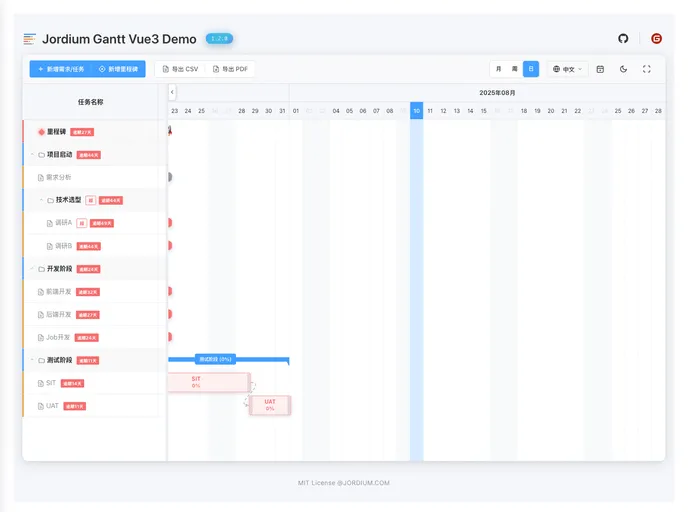
Overview
The Jordium Gantt Vue 3 is an impressive Gantt chart component designed for modern project management and task scheduling. Built on Vue 3 and TypeScript, it pulls together a suite of rich interactive features, flexible configurations, and elegant visual effects, making it an ideal choice for developers looking to incorporate sophisticated project timelines into their applications. Whether you are managing tasks or tracking milestones, this component offers a seamless and user-friendly experience.
One of the standout aspects of the Jordium Gantt is its combination of performance and functionality. With typesafe development through TypeScript and a range of built-in themes, it caters to diverse user needs. Its intuitive interface not only enhances usability but also facilitates quick integration into projects, allowing users to set up their Gantt charts with ease.
Features
- Complete Functionality: Offers comprehensive tools for task management, milestones, dependencies, and progress tracking, ensuring all project aspects are covered.
- Theme System: Includes built-in light and dark themes, along with support for custom styling to meet specific design requirements.
- Smooth Interactivity: Enables drag-and-drop adjustments, zooming capabilities, double-click editing, and right-click menus for a highly responsive user experience.
- Internationalization: Comes pre-equipped with Chinese and English languages, with the option to extend support for additional languages, making it accessible for a global audience.
- High Performance: Utilizes virtual scrolling and lazy loading techniques to efficiently handle large datasets without compromising on performance.
- Type Safety: Fully supports TypeScript, providing strong typing and reducing the risk of runtime errors during development.
- Robust Configuration Options: Offers various properties for customizing task behavior, such as drag-and-resize functionality and context menus for tailored user interactions.