Overview:
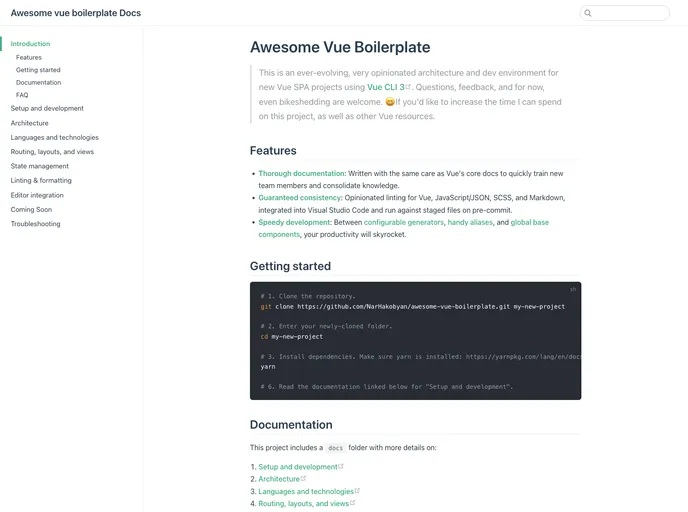
The Awesome Vue Boilerplate is a comprehensive architecture and development environment designed specifically for creating new Vue Single Page Application (SPA) projects using Vue CLI 3. This boilerplate provides a highly opinionated and ever-evolving framework that streamlines the setup and development process for Vue projects.
Features:
- Opinionated Architecture: The Awesome Vue Boilerplate enforces a predefined architecture and development structure, ensuring consistency and best practices across the project.
- Built-in Documentation: The boilerplate includes a dedicated “docs” folder that provides in-depth information on various aspects of the project, such as setup, development, routing, state management, and more.
- Supports Multiple Languages and Technologies: With the Awesome Vue Boilerplate, developers have the flexibility to use different programming languages and technologies as per their requirements.
- Efficient Routing, Layouts, and Views: The boilerplate simplifies the process of setting up routes, layouts, and views in a Vue SPA, reducing development time and effort.
- State Management: The Awesome Vue Boilerplate offers built-in support for state management using popular libraries like Vuex, ensuring efficient and scalable management of application state.
- Testing and Mocking API: The boilerplate includes testing features that allow developers to write unit tests and mock APIs, ensuring the stability and reliability of the application.
- Linting and Formatting: The Awesome Vue Boilerplate comes with pre-configured linting and formatting rules that promote clean and consistent code throughout the project.
- Editor Integration: The boilerplate seamlessly integrates with popular code editors, providing enhanced development experience and productivity.
- Production-ready Build and Deployment: With the Awesome Vue Boilerplate, developers can easily build and deploy their Vue projects to production environments, ensuring the smooth and efficient operation of the application.
- Troubleshooting Assistance: The boilerplate offers troubleshooting guidelines and tips to help developers navigate and resolve common issues and challenges during the development process.
Installation:
To install the Awesome Vue Boilerplate, follow these steps:
- Make sure you have Vue CLI 3 installed globally on your machine. If not, run the following command in your terminal:
- Create a new Vue project using the boilerplate by running the following command:
vue create --preset <preset-name> <project-name>
Replace <preset-name> with the name of the Awesome Vue Boilerplate preset you want to use, and <project-name> with the desired name for your project.
- Change into the project directory:
- Start the development server:
- Open your web browser and navigate to
http://localhost:8080 to access your newly created Vue project.
For more detailed instructions, refer to the documentation provided in the “docs” folder of the Awesome Vue Boilerplate.
Summary:
The Awesome Vue Boilerplate is a comprehensive architecture and development environment specifically designed for Vue SPA projects. It offers an opinionated and well-structured framework that simplifies the setup and development process. With features such as built-in documentation, support for multiple languages and technologies, efficient routing and state management, testing capabilities, linting and formatting, editor integration, and production-ready build and deployment, this boilerplate provides developers with a robust foundation to create high-quality Vue applications.