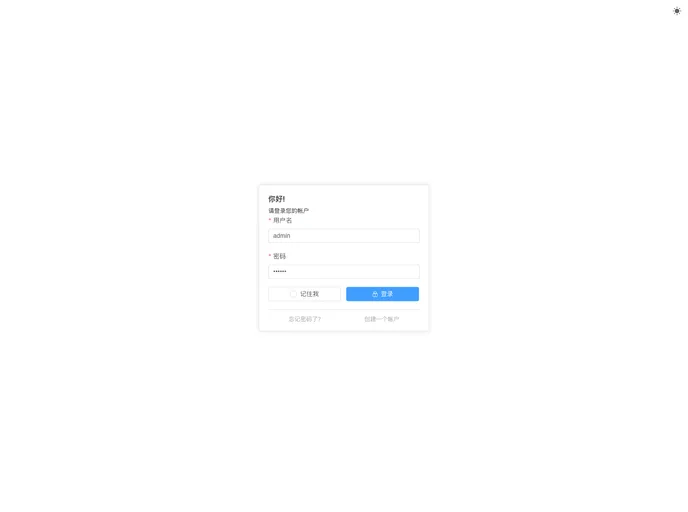
A modern vue admin. It is based on Vue3, vite and TypeScript. It's fast!
Overview
This is a product analysis of a simplified version of a backend template built using the latest technologies such as Vue3, Vite2, and Element-plus. The template is designed to be user-friendly and incorporates the latest front-end development technologies like TypeScript, Vue Router, and Element-Plus. It also includes a built-in solution for mock data using Mock.js.
Features
- Latest Technology Stack: Utilizes Vue3, Vite2, and Element-plus for a cutting-edge development experience.
- TypeScript: Enables the use of application-level JavaScript with enhanced type checking and compile-time error detection.
- Mock Data: Includes a built-in mock data solution using Mock.js.
- Directory Structure: Provides a well-organized directory structure for easy project navigation and management.
- Vue Router: Supports Vue Router for efficient navigation and routing within the application.
- Element-Plus: Integrates Element-Plus UI for building sleek and responsive user interfaces.
Installation
To install and set up the backend template, follow these steps:
- Install Node.js and Git for your development environment.
- Familiarize yourself with the features of Vite, Vue3, TypeScript, and ES6+ as they are the core technologies used in this template.
- Get familiar with the basic usage of Vue Router and Element-Plus, as they play an essential role in this template.
- Install and use Mock.js to work with mock data for your application.
- Obtain the project code from the provided project repository.
- Install the project dependencies using the package manager of your choice.
- Run and build the project to verify its functionality.
- Use the provided project address to access and test the template.
Summary
This product analysis discusses a simplified backend template built using the latest technologies, including Vue3, Vite2, and Element-plus. It highlights key features such as the latest technology stack, TypeScript support, built-in mock data solution, and integration of Vue Router and Element-Plus UI. The installation guide outlines the necessary steps to set up the template and provides links to the project repository. Overall, this template offers a user-friendly and efficient development experience for building backend applications.