Vue Tabs With Active Line
 Theme by
Karambafe
Theme by
KarambafeUpdated:
4 May 2020
|100 Stars
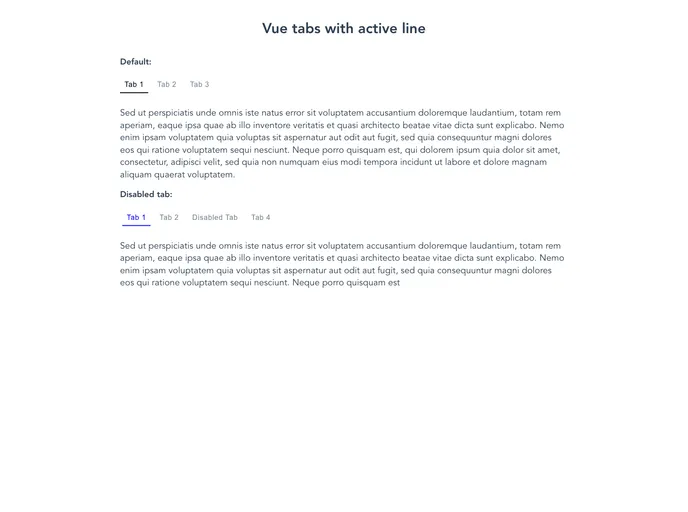
Simple Vue 2 component, that allows you to make tabs with moving bottom line
Categories
Overview
The Vue Tabs with Active Line is a simple yet effective component designed for Vue 2. It allows developers to create elegant tab interfaces that feature a dynamic moving bottom line, enhancing the user experience. This component is particularly beneficial for applications requiring an organized and visually appealing way to navigate between different sections or features. With ease of installation and straightforward customization options, it offers a great solution for both novice and seasoned developers.
Features
- Easy Installation: Install via npm, making it convenient to integrate into existing Vue projects with just a few commands.
- Customizable Props: Supports custom properties like
tabs, currentTab, and onClick, enabling tailored functionalities for each tab. - Dynamic Active Line: An animated bottom line that moves as users switch between tabs, providing visual feedback on the selected tab.
- Flexible Styling: Users can easily apply their own CSS classes to various elements such as tabs and the active line for personalized styling.
- Support for Disabled Tabs: The component allows certain tabs to be disabled, which can help guide user interactions.
- Responsive Structure: The component is built with a flexible HTML structure that adapts well to different screen sizes, ensuring usability across devices.
- Active Tab Management: Automatically manages the active tab state, which simplifies the handling of tab changes in your application.
- Open Source: Licensed under the MIT License, encouraging collaboration and improvement from the community.