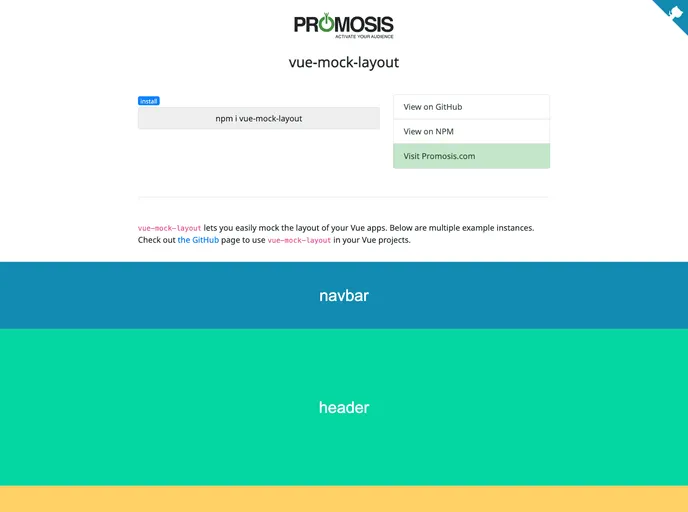
Easily mock the layout of your Vue apps.
vue-mock-layout is a powerful tool for quickly mocking the layout of Vue applications, making it an essential asset for developers looking to visualize their site structure before diving into the actual development process. This utility allows you to create a realistic skeleton of your application, helping you to better understand how different sections will interact and appear. With customizable options, vue-mock-layout takes the guesswork out of the initial layout design, providing a straightforward way to adapt your mockups based on various device formats.
This library offers a variety of features that enhance the mocking experience, from adjusting section heights to altering text attributes. Ideal for both mobile and desktop mockups, vue-mock-layout is designed to streamline the early stages of development, ensuring that your layout is both functional and aesthetically pleasing.
Customizable Heights: Adjust the height of sections for both desktop and mobile views, allowing for a more realistic visualization of different layout needs.
Flexible Styling Options: Change background colors, text colors, and font sizes to match intended design schemes easily.
Mobile and Desktop Breakpoints: Set specific breakpoints for mobile layouts, ensuring that your mockup is responsive right from the start.
Optional Properties: All props are optional, which means you can start with a simple template section without any setup.
Dynamic Text Display: Customize the text shown in each section to better represent content that will eventually reside there.
Easy Integration: Incorporate vue-mock-layout into your projects effortlessly, whether through npm or by including it directly in your HTML.
Open Source: Collaborate and improve the tool by forking the project and contributing via GitHub.

