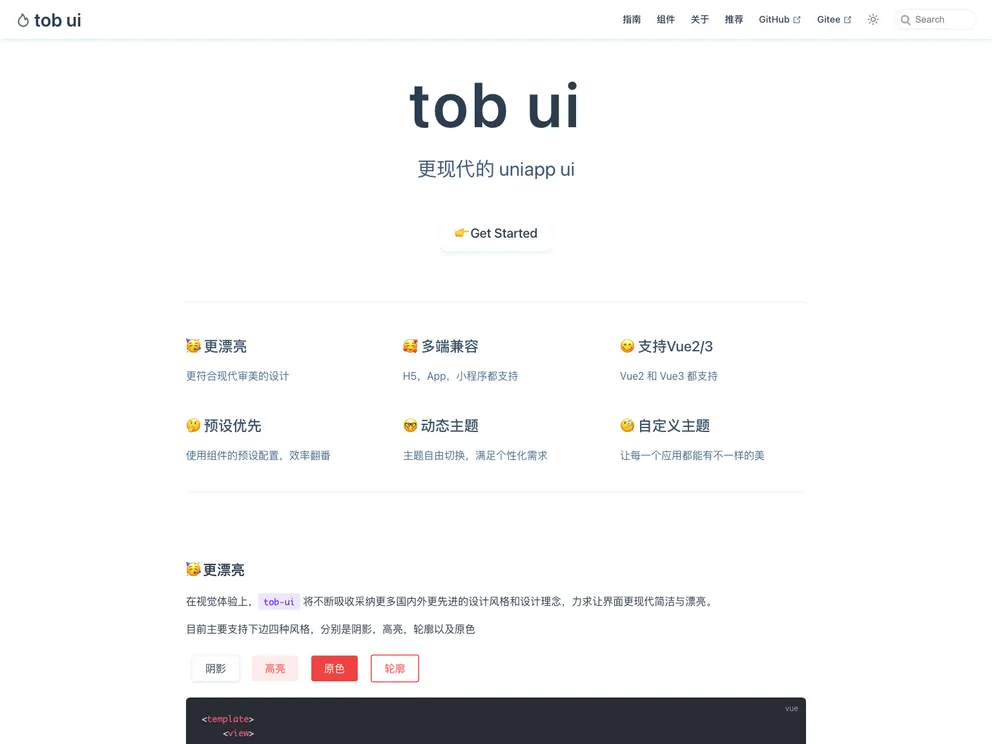
Tob UI screenshot

Tob UI

Author Avatar Theme by Dishait
Updated: 14 Mar 2022
25 Stars

更现代的 uniapp ui

Categories

Overview

tob-ui is a more modern Uniapp UI with a focus on beautiful pre-set designs, cross-platform compatibility, custom and dynamic theme switching, and support for both Vue2 and Vue3. It is completely open source and free to use. The theme also includes a separate style library for users who prefer a lighter UI component library.

Features

  • Beautiful Pre-Set Designs: tob-ui offers aesthetically pleasing pre-set designs for a modern and visually appealing user interface.
  • Cross-Platform Compatibility: The UI components in tob-ui are designed to work seamlessly across multiple platforms, making it suitable for Uniapp development of multi-platform applications.
  • Custom and Dynamic Theme Switching: Users have the ability to customize and switch between themes dynamically, allowing for flexible and personalized UI experiences.
  • Support for Vue2 and Vue3: tob-ui is compatible with both Vue2 and Vue3, providing developers with versatility and the ability to leverage the latest features of Vue.

Installation

To install tob-ui, follow these steps:

  1. Clone the repository or download the code.
  2. Import the code into Hbuilderx.
  3. Start the project in Hbuilderx.

Summary

tob-ui is a modern Uniapp UI that offers beautiful pre-set designs, compatibility across multiple platforms, and support for both Vue2 and Vue3. It provides users with the flexibility to customize and switch themes dynamically. With its easy installation process, tob-ui is a convenient choice for developers looking for a modern and aesthetically pleasing UI solution for their Uniapp projects.
