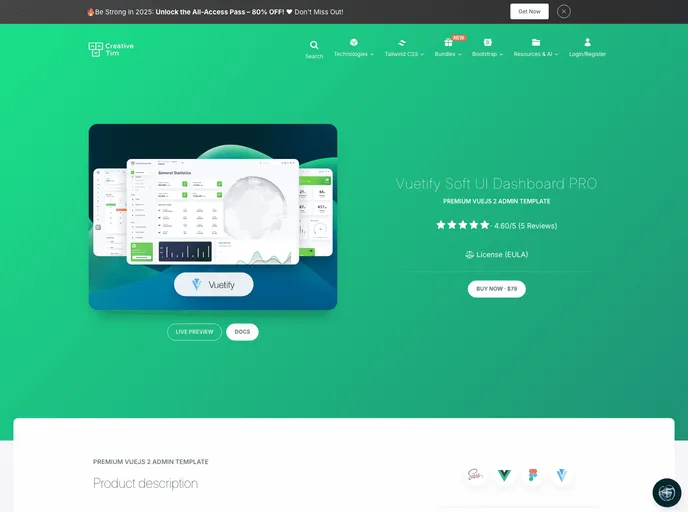
Vuetify Soft UI Dashboard PRO is a beautiful resource built over Vuetify, Vuex and Vuejs 2
Overview
Vuetify Soft UI Dashboard PRO is a remarkable resource designed to streamline the development of dashboards, built using Vuetify, Vuex, and Vuejs. It’s particularly noteworthy as the official Vuejs iteration of the original Soft UI Dashboard PRO, enabling developers to set up visually appealing and functional dashboards swiftly. While the dashboard interface is user-friendly, a foundational understanding of JavaScript, Vue.js, and Vue-Router is necessary to maximize its capabilities.
This dashboard is thoughtfully crafted with a focus on practical features that developers actually need. It integrates various handpicked and optimized Vuejs plugins, ensuring all components work harmoniously together. The clean design is based on the principles of Material Design, providing excellent UI tools that meet modern application requirements.
Features
- Material Design Compliance: Each component adheres to Material Design guidelines, ensuring a polished and professional look that enhances user experience.
- Centralized State Management: With Vuex, developers can manage the application state in a predictable manner, allowing for easier maintenance and debugging.
- Customizable Components: The dashboard offers customizable UI elements that fit well with each other, giving developers the flexibility to create a unique application experience.
- Easy Setup: The installation process is straightforward requiring just Node.js, with commands ready to kickstart a local development server.
- Advanced Debugging Tools: Vuex integrates seamlessly with Vue’s devtools for features like time-travel debugging, making it easier to track and manage application state changes.
- Optimized for Performance: Filled with handpicked Vuejs plugins, the dashboard ensures fast performance and efficient resource utilization.
- Minimal Configuration: Using the latest Vue CLI, the project setup requires minimal configuration, making it accessible for developers of various skill levels.
- Community Support: Ongoing contribution from community members ensures that new components and features are regularly added, keeping the dashboard fresh and up-to-date.