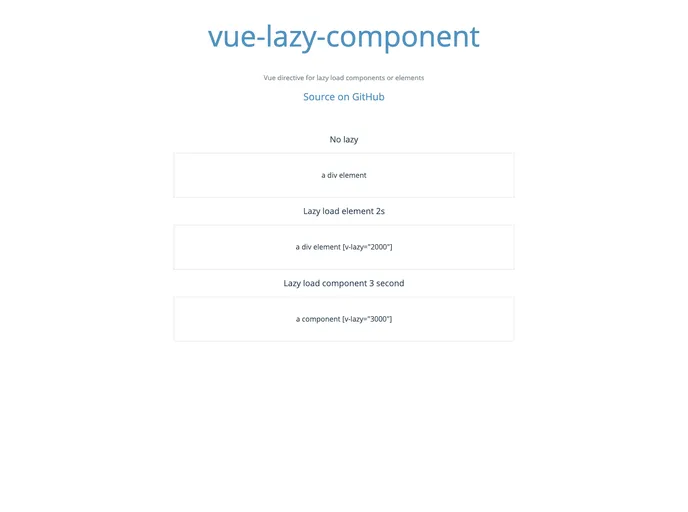
Vue Lazy Component screenshot

Vue Lazy Component

Author Avatar Theme by Coffcer
Updated: 27 Oct 2016
84 Stars

Vue directive for lazy load components or elements

Overview

The Vue Lazy Component directive offers a smart solution for optimizing the performance of Vue applications by allowing developers to implement lazy loading for components and elements. This approach is particularly useful for components that are not immediately visible on the user’s screen, as it can significantly enhance the overall initialization performance of the application. By deferring the loading of these components until they are needed, it helps to create a smoother and more responsive user experience.

Not only does this directive simplify the process of lazy loading in Vue, but it also provides a straightforward integration method for developers. If you’re aiming to improve your application’s performance and user experience without sacrificing functionality, this directive could be a valuable addition to your Vue toolkit.

Features

  • Improved Performance: Lazy loading components that are not in the viewport reduces the initial load time, resulting in better performance metrics for your application.
  • Easy Integration: Designed specifically for Vue, integrating this directive into your existing components is simple and quick.
  • Customizable: Adjust the lazy loading threshold to fit your specific application’s needs, providing control over when components get loaded.
  • Resource Efficient: It helps in managing resources by loading only what’s necessary at a given time, which can reduce the memory footprint of your application.
  • Supports Multiple Components: You can easily implement lazy loading for multiple components, allowing for scalable performance improvements across your application.
  • Live Demo Available: Test the directive in a live environment to see firsthand how it affects loading performance and user experience.